Control agent spend at every step of the run

Give your agents the usage, credit, and budget context so they can plan, adjust, or stop before they spend
Models
Gateways
Orchestration
Anthropic
OpenAI
Google Gemini
Mistral
Groq
Ollama
TypeSafe
OpenRouter
Solo.io
LiteLLM
Amazon Bedrock
Cloudflare
Databricks
Vercel
LangChain
Google ADK
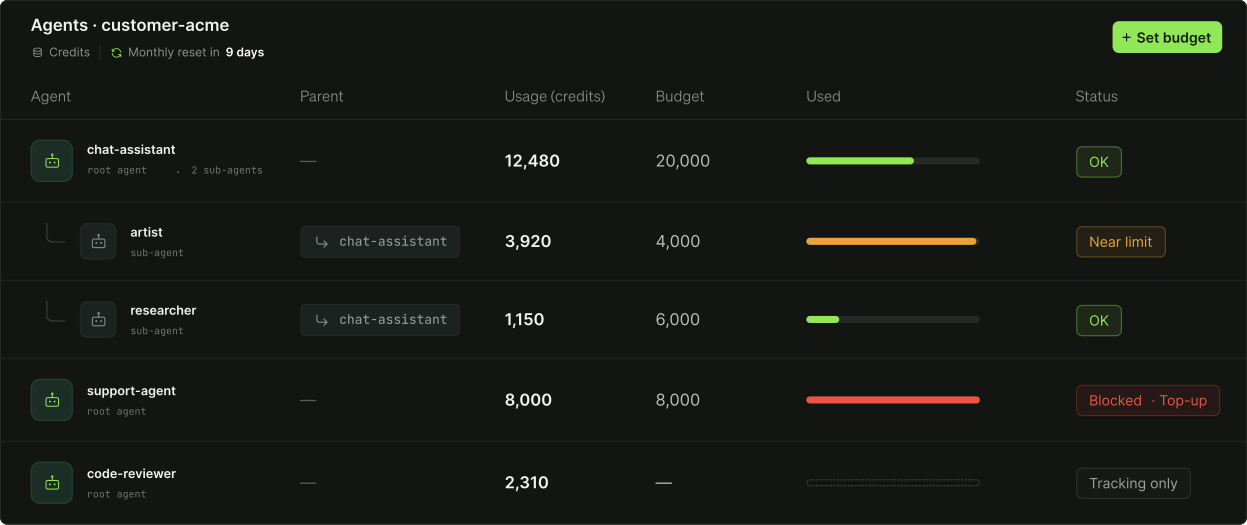
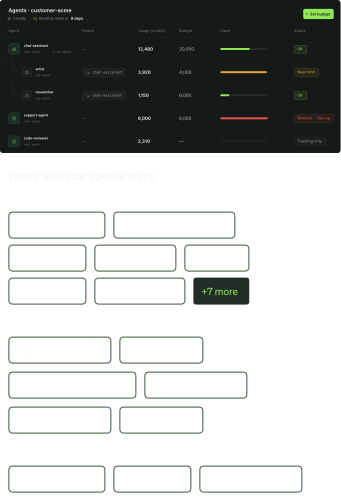
Dashboard showing usage and budget status of agents for customer-acme: chat-assistant used 12,480 out of 20,000 credits with status OK, artist sub-agent used 3,920 of 4,000 nearing limit, researcher sub-agent used 1,150 of 6,000 with status OK, support-agent used all 8,000 credits and is blocked needing top-up, code-reviewer used 2,310 credits with tracking only status.

Your agent knows your workflow. Not how you monetize it.

Your agent picks the model, the tool, and the next step. 

It doesn’t know what your customer is entitled to, or how many credits they have left.

Without context, you either leak revenue when your agent runs past the customer’s budget, 
or lose the outcome when it’s blocked, even though a cheaper model would have done the job.

Budget and usage context, right inside the run.

Agents spend during the run. Usage gets counted after it. Billing tracks spend after the run, when it’s already too late.

Stigg injects budget and usage context right inside the run, enabling agents to decide in real time whether to proceed, fall back to a cheaper path, or stop.
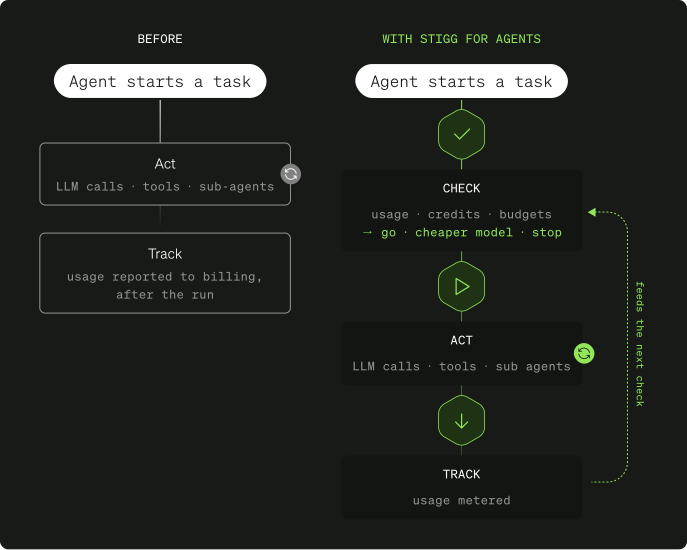
Two flowcharts compare agent task processes. Left side 'Before': Agent starts task, acts using LLM calls, tools, sub-agents, then usage is reported to billing after the run. Right side 'With Stigg for agents': Agent starts task, checks usage, credits, budgets with options go, cheaper model, stop; acts using LLM calls, tools, sub-agents; tracks usage metered, then feeds the next check in a loop.

Natively integrates with your existing agentic stack.

Stigg works with the models, gateways, and orchestrators you already run. Use the Stigg Agent SDK to wrap your existing clients: same types, same streaming, zero vendor dependencies.

Models

White stylized letters 'AI' followed by the word 'Anthropic' in white with a thin green border.OpenAI logo with a stylized white geometric pattern resembling an interlocking hexagonal design to the left of the text 'OpenAI' in white.White star-shaped spark icon followed by the words 'Google Gemini' in white text with a thin green border.White pixelated castle or fortress icon next to the word 'Mistral' in white text with a thin green outline.White lightning bolt icon followed by the text 'Groq' on a dark rounded rectangle.White line art of a llama face next to the word 'Ollama' in white text with rounded corners.TypeSafe company logo with a geometric cube icon to the left of the text.

Gateways

OpenRouter wordmark with a stylized 'OR' monogram logo on the left.Logo with a white high-speed train icon inside a square next to the text 'LiteLLM' in white with a rounded green border.Button showing Amazon Bedrock text alongside an abstract icon combining a brain and digital circuit.Cloudflare logo with stylized white cloud icon followed by the text 'Cloudflare' in white with a green border.Databricks logo featuring a stylized stack of three layers next to the word Databricks in white text.Logo with stylized letters 'lo' followed by the text Solo.io in white with rounded corners and a subtle green border.

Orchestration

LangChain logo text with stylized leaf-like icon to the left.Vercel logo with a white upward-pointing triangle to the left of the word 'Vercel' in white text with rounded corners.Dark rectangular button with rounded corners displaying a small white robot icon next to the text 'Google ADK' in white letters.
Model routing

Fall back to a cheaper model. Keep the run going.

Stigg tells your workflow how many credits each customer has left, and which models their plan includes.

Running low, or no premium access? Your workflow can switch to a cheaper model and still finish the job.
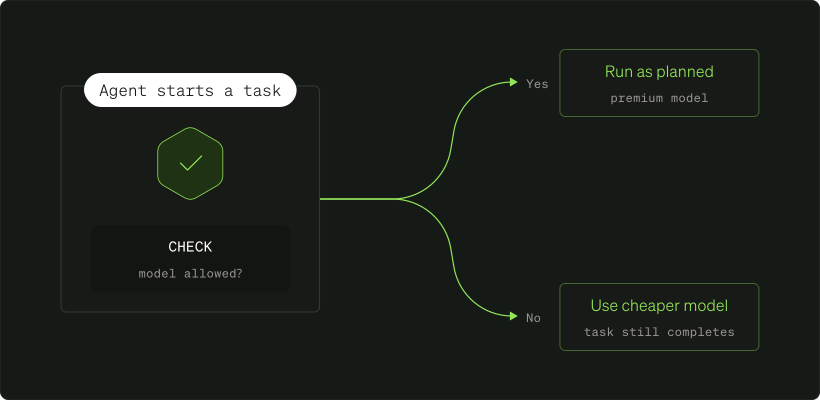
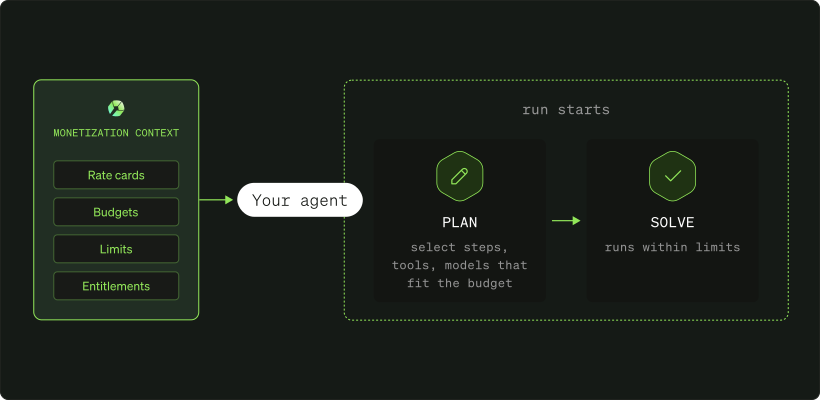
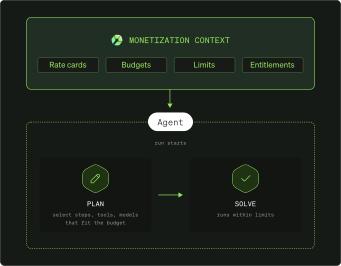
Agent execution paths diagramDiagram showing a monetization context including rate cards, budgets, limits, and entitlements feeding into an agent. The agent starts a run by planning steps, tools, and models that fit the budget, then solving within limits.
Autonomous planning

Agentic workflows that plan around the budget.

Stigg gives your agents context about their budgets and credits, so they can plan and solve the entire execution without exceeding limits. Your agents pick the steps, tools, and models that fit.

Usage Governance

Run agents in parallel without exceeding the budget.

With Stigg’s Agent SDK, each agent gets its own allocation from a shared pool. Credits are reserved up front and settled against actual usage, so the run stays within budget.
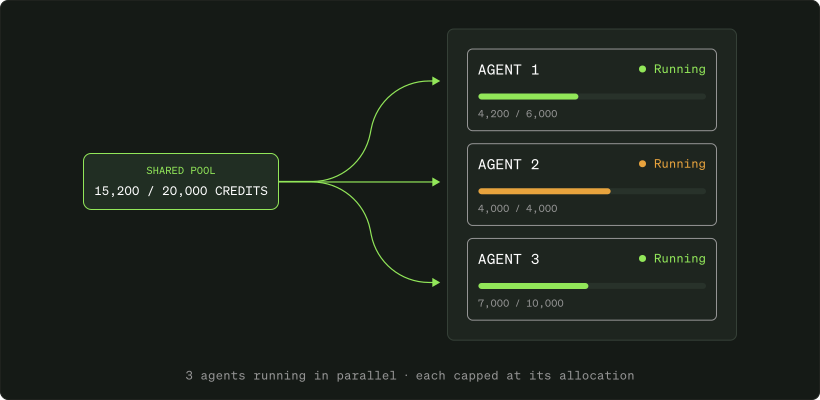
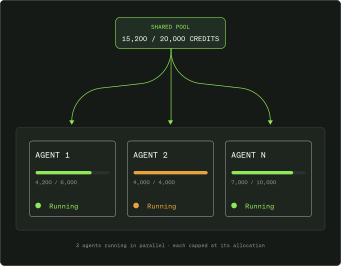
Usage governance controls for AI agentsDiagram showing a shared pool of 15,200 out of 20,000 credits divided among three agents running in parallel, each capped at its allocation: Agent 1 uses 4,200 of 6,000 credits, Agent 2 uses 4,000 of 4,000 credits, and Agent N uses 7,000 of 10,000 credits.

Monetization decisions, tracked at every step of the workflow.

Stigg meters the usage of every agent, sub-agent, and action, so you can track adoption and cost in one place. Report usage from multiple agents and tools to one centralized location, at 1M+ events per second.
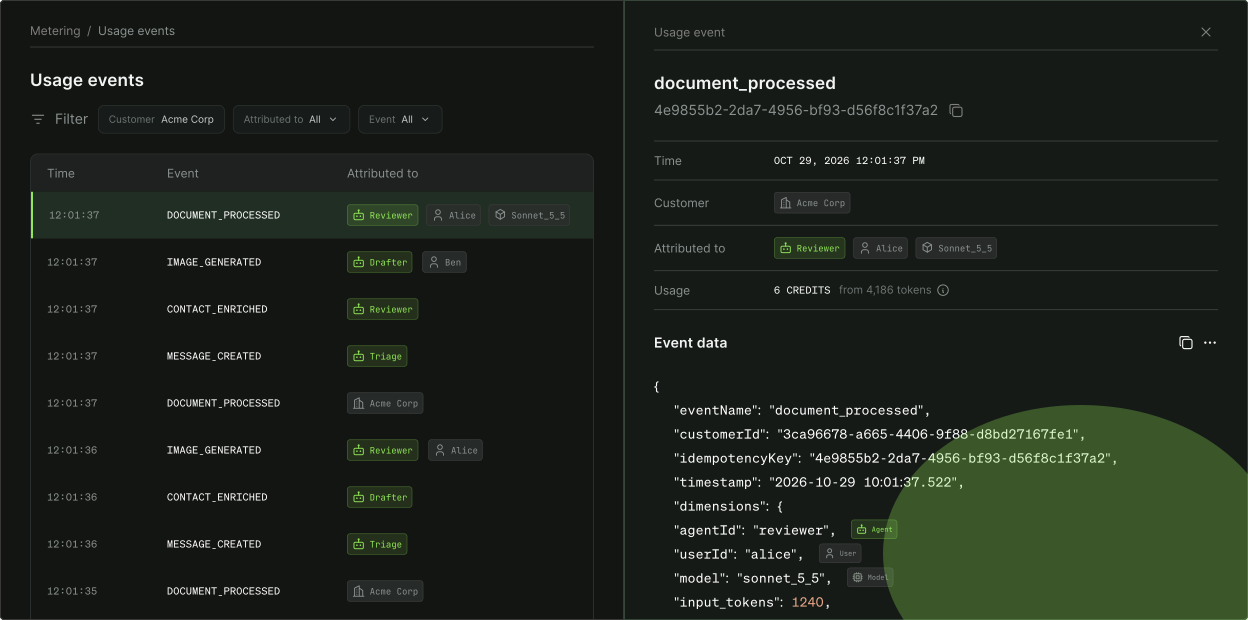
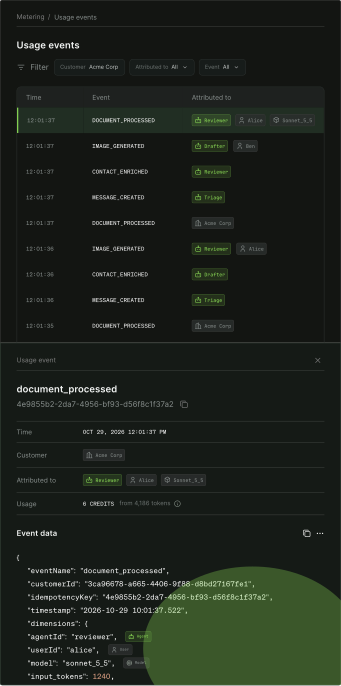
Monetization decisions for AI agents in StiggUser interface showing a Usage events screen with a filter for Customer 'Acme Corp' and event type. A table lists events such as DOCUMENT_PROCESSED, IMAGE_GENERATED, CONTACT_ENRICHED, and MESSAGE_CREATED with timestamps and attribution tags like Reviewer, Drafter, Triage, and user names Alice, Ben, and Acme Corp. Below, details for a document_processed event on October 29, 2026, 12:01:37 PM for Acme Corp include attribution to Reviewer Alice and model sonnet_5_5, usage of 6 credits from 4186 tokens, and event data JSON showing event name, customer ID, timestamp, user ID, and input tokens.

Make data-driven decisions on your monetization strategy.

Stigg meters each run end to end, so you know what a workflow actually costs. Use that data to make pricing and packaging decisions, and keep iterating on them, whether you use token-based or outcome-based pricing.
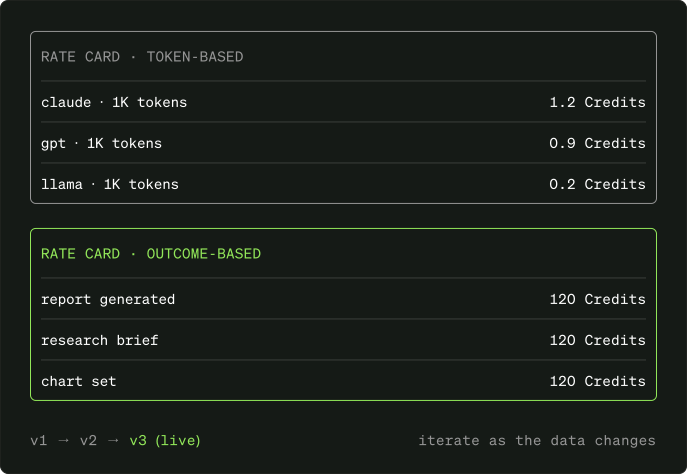
Rate card showing token-based pricing and outcome-based pricing. Token-based rates list Claude at 1K tokens for 1.2 credits, GPT at 1K tokens for 0.9 credits, and LLaMA at 1K tokens for 0.2 credits. Outcome-based rates list report generated, research brief, and chart set, each costing 120 credits. Version notation at bottom shows v1 to v2 to v3 live with a note to iterate as the data changes.

Ship agents with spend caps built in.

Launch agents that stay within budget at every step of the run.